Buy Now$49.95 $39.95 Buy Now$95.95 $89.95

Wondershare Video Compressor & Video Converter

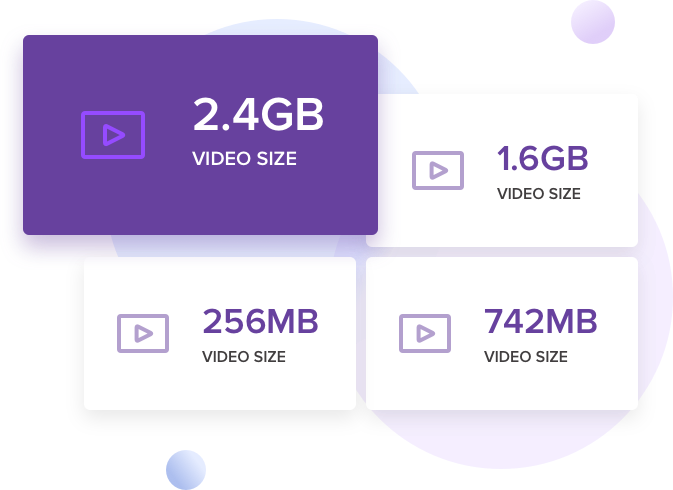
Compress / Resize / Reduce Any Video & Audio Size, Fast & HD & Easy Make Video/DVD/Audio Size Smaller

  • No Size Limit: Compress Any large Size Video, Even up to 50G Size Video.
  • Custom Compression: Free Adjust Encoder, Resolution, Bitrate, Frame Rate etc
  • More Format: Compress Any Format Video, MP4 MOV AVI DVD MKV MTS FLV...
  • Support Video Editing: Crop or Trim, Cut Unwanted Part of the Video
  • Fast Speed: Use GPU Acceleration Technology to Compress
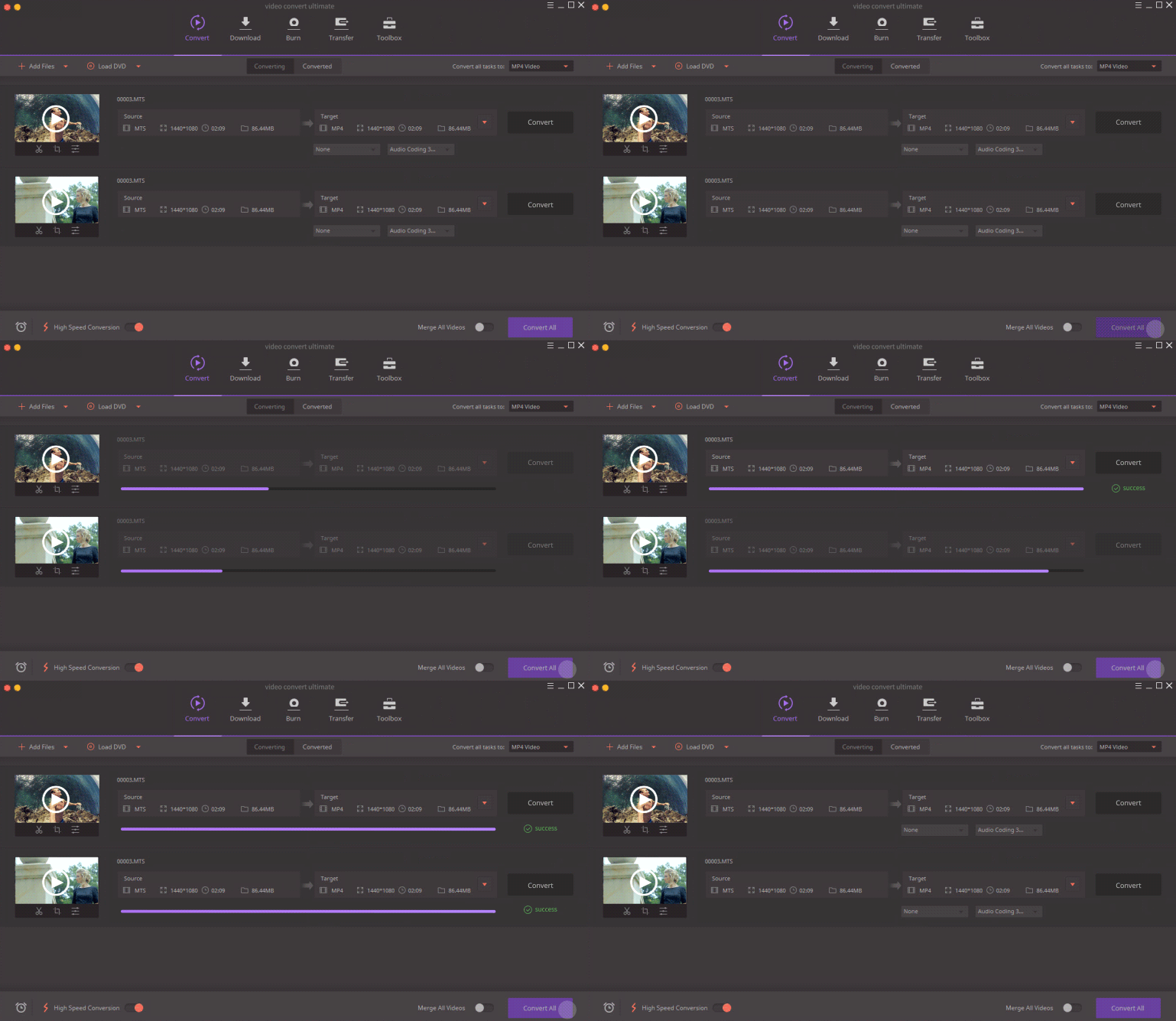
  • Saving Time: Compressing Multiple Video Files at The Same Time
  • Privacy Protection: Local Compression, No Need to upload Video to Network
  • More Features: Compress, Convert, Edit, Burn, Record, Download Video & DVD...

No Size limit

Wondershare Video Compressor & Video Converter Can compress any large size video, it enables to compress video's size up to 50G, and you can add many Video File to the Software for compression at the same time, This is very convenient for you.
Custom compression

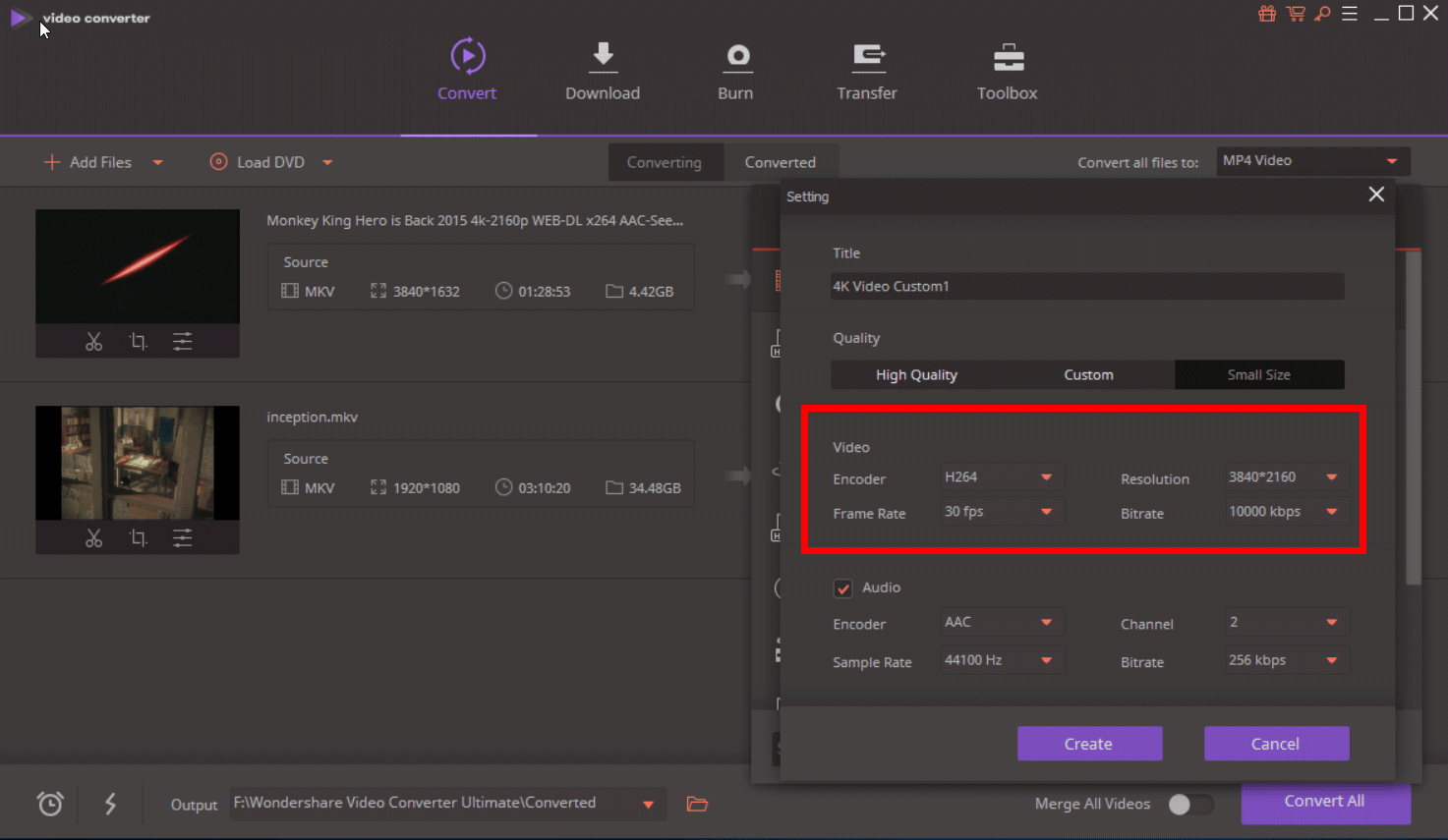
Wondershare Video Compressor & Video Converter enables you free adjust video encoder, video resolution, video bitrate, video frame Rate etc, also free adjust audio encoder, audio channel, audio sample rate, audio bitrate.

You can adjust these audio and video parameters as you like, and find a balance between size and clarity, and the quality of the video.

More Format

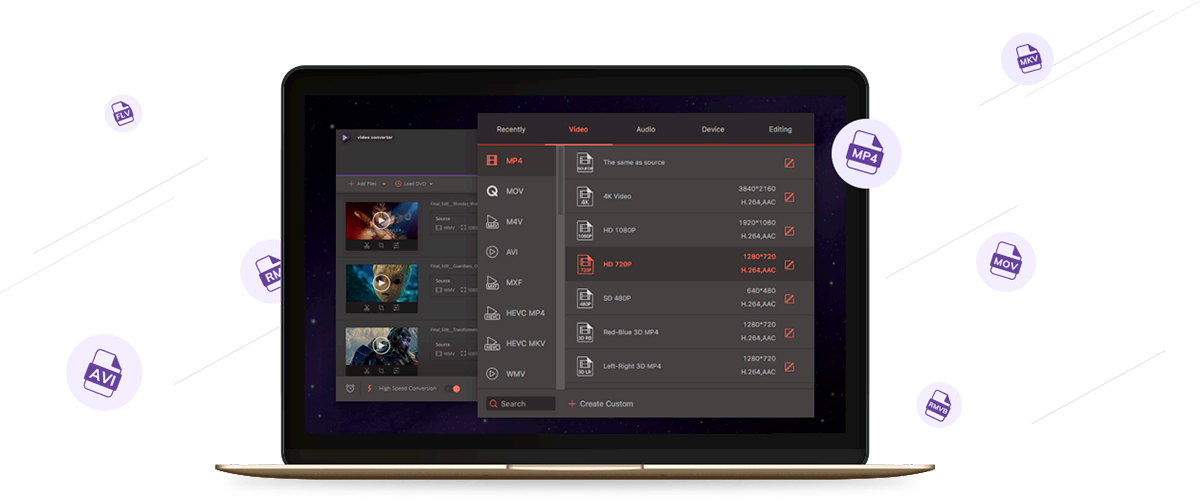
Wondershare Video Compressor & Video Converter enables you to Compress all the popular and unusual media files, Compress Format DVD / Audio / Video Files for Any Device, You can check the supported formats listed as below:

DVD DVD disc, ISO files, DVD folder, IFO files, VOB files
Audio MP3, M4A, AC3, AAC, WMA, WAV, OGG, APE, MKA, AU, AIFF, FLAC, M4B, M4R, MP2, MPA etc
Video MP4, Apple Videos(MOV, M4V, QT), Windows Media Video(WMV, AVI, ASF), HD Video(AVCHD, MTS, M2TS, TS, M2T, 1080P), MPG, MPEG-1, 2, 4, H.263, H.264, H.265, TOD, MOD, DVD, VOB, ISO, IFO, BUP, SVCD, DV, DVR-MS, VCD, DAT, DivX, Xvid, Real Video(RM, RMVB), 3GP, 3G2, MKV, FLV, F4V, AMV, DVR-MS, AMR, TP, TRP etc.

Support Video Editing

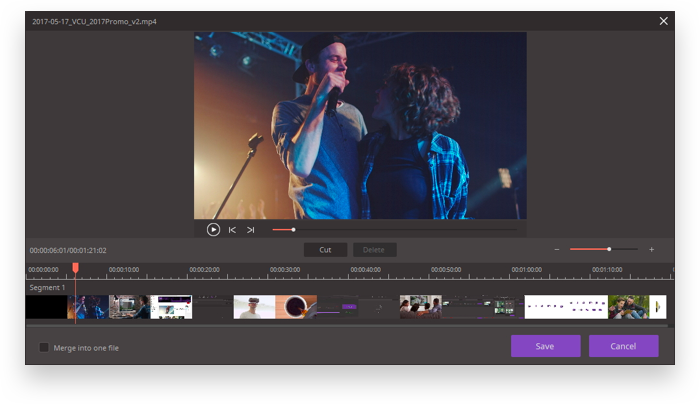
You can cut / trim your video and delete the unwanted parts to make your video smaller. Split a long video into multiple clips, like cutting VOB, MP4, etc, you also can Merge multiple videos into one video.

Fast Speed

GPU Acceleration - The support for NVIDIA CUDA, NVENC, AMD, and Intel HD Graphics hardware acceleration lifts conversion speed. Also support for Macbook, MacBook Pro, MacBook Air, Mac mini, iMac, Mac Pro
Optimization for Multi-core Processor - Make full use of your multicore processor to speed up conversion.

Saving Time

Wondershare Video Compressor & Video Converter enables you to Compress several videos into different formats at one time in a click.

Privacy Protection

Wondershare Video Compressor & Video Converter Compress your video in your computer, it doesn't need to uploud your video to internet. Of course, you can also choose to disconnect the network to compress your private video, absolutely protecting your privacy.

All-in-One Video Tool
Much More Than a Video Comprossor

As the all-in-one video solution, Wondershare Video Compresspr & Video Converter enables you to Compress Video, Convert Video, edit Video, DVD Burner (Include Blu-ray burner), Screen Capture, Fix Video Metadata, Cast Video to TV, Video Downloader, Create photos to GIF and much more.

Convert Video

Convert Video to any Format

Learn more
Edit Video

Cut, Trim, Crop, Adjust, Merge, Rotate, Watermark, Subtitle etc.

Learn more
Burn DVD & Blu-ray

Create and edit DVD files in an easy way

Learn more
Screen Recorder

Record Desktop Screen or Video Calls

Learn more
Cast Video to TV

Stream videos to TV as a media server

Learn more
Download Video

Download Online Video in One Click

Learn more

Simple Steps to Make Your Video Smaller

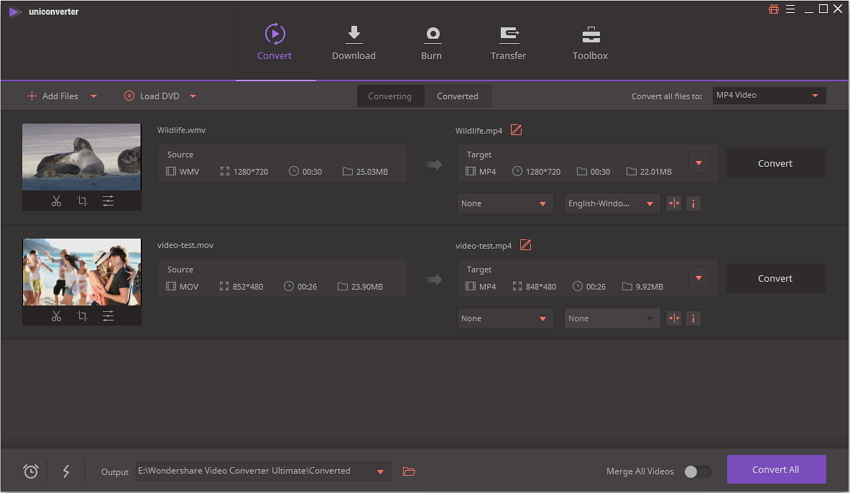
  • Steps 1: import your video to the wondershare video Compressor
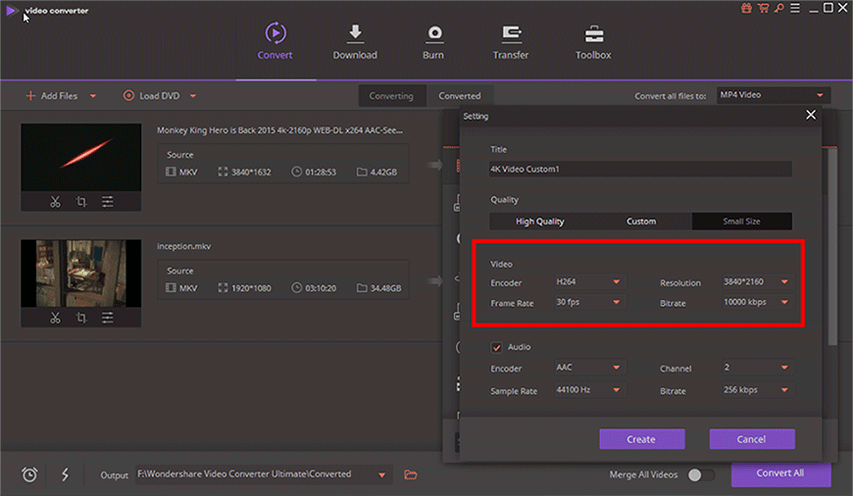
  • Steps 2: Choose Output Format, Adjust Encoder, Resolution, Bitrate, Frame Rate by You
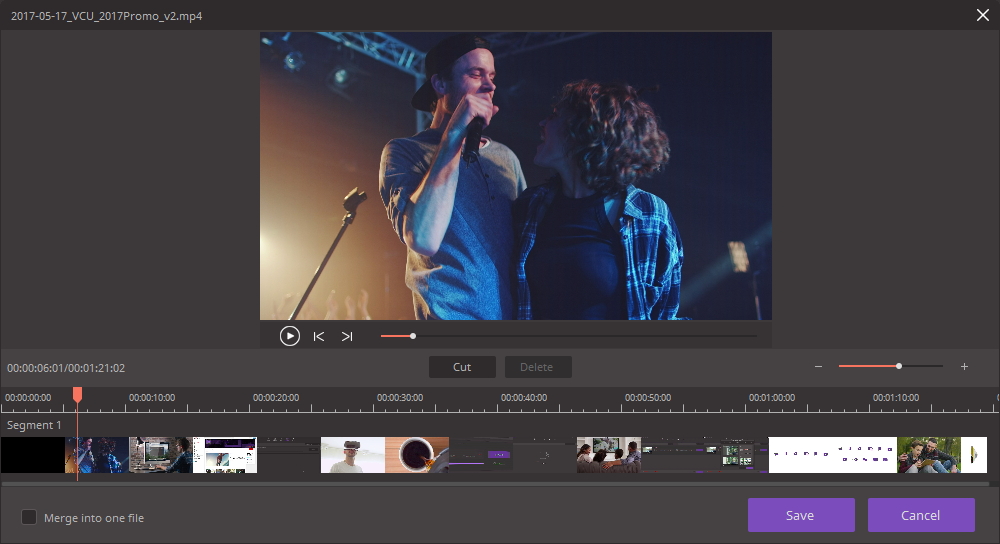
  • Steps 3: Cut / Trim, or Crop your unwanted Parts
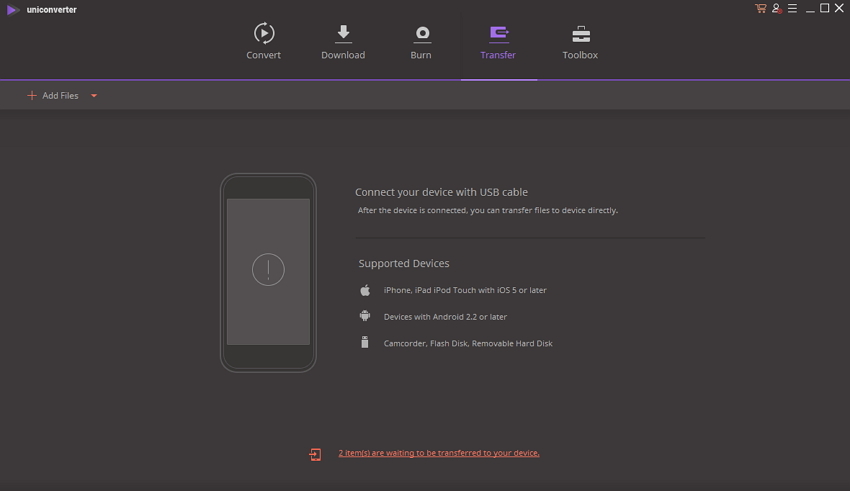
  • Steps 4: When video compression is complete, you can transfer it to the device

Compress / Resize / Reduce Any Video & Audio Size, Fast & HD & Easy Make Video/DVD/Audio Size Smaller